


Innovation. Expressed.
With 1500+ happy clients and 25+ years of experience, Imaginet is your trusted technology partner who turns your business innovation ideas into reality.

Who we are
Innovation isn’t easy. From small start-ups to worldwide enterprises, Imaginet blends your unique needs with software technology and strategy to rapidly realize your business goals.
1500 +
Satisfied
Consumers
25 +
Years
in Business
3200 +
Successful
Engagements
1500 +
Satisfied
Consumers
25 +
Years
in Business
3200 +
Successful
Engagements
Need help with your next project? Want to know more about what we do? Reach out to us today!
Our services
Imaginet’s service offerings are focused on three core areas: Microsoft 365 Solutions, Application Development, and Data Analytics. Our full-time, North American based consultants have extensive experience with Microsoft technologies and are committed to providing the highest quality services to our clients.
Microsoft 365
01
Data Engineering & Business Intelligence
02
Application Development
03
Imaginet offers a complete suite of professional services customized to your unique business needs. Migrate to SharePoint, enhance collaboration with Teams, or improve processes with Power Platform. We build solutions that span M365 products and deliver maximum productivity to your organization.
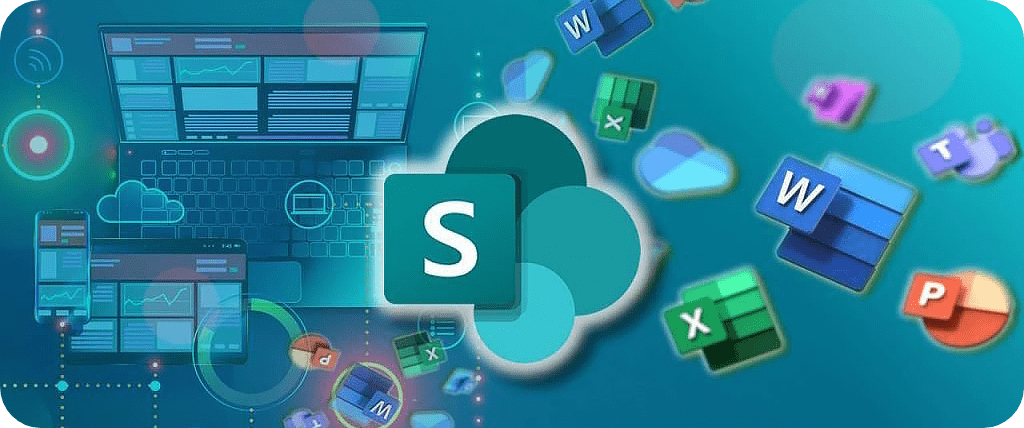
SharePoint
Imaginet provides a full suite of SharePoint services. We specialize in content migrations, forms, intranets, workflows, and compliance and records management.
Power Platform
Imaginet can help you streamline repetitive tasks and implement paperless processes with Microsoft Power Automate—so you can focus your attention where it’s needed most.

Teams
Imaginet provides architectural design and implementation of Teams so that it works seamlessly with SharePoint, One Drive, and the rest of M365.

Imaginet data engineers bridge the gap between your data sources and your business goals. We enable everyone on your team to analyze data from a variety of perspectives, gather new and meaningful insights, and make actionable business decisions.
Data Architecture & Engineering
Imaginet’s Data Engineering can help you create a data model that enables the reports you want, when you want them, with a high degree of data confidence.

Data Analytics with Power BI
Enable everyone to make actionable data-driven decisions with up-to-date analytics. Our team will help you create accurate, quick reports, dashboards, and data visualizations using Power BI to empower your business users.

Imaginet offers a wide range of custom web and mobile application development services for every scenario. Whether you need help with strategy, design, development, or support—Imaginet’s certified experts can help make the next step in your journey both easy and affordable.
App Modernization
Outdated interfaces make common business tasks slow and training costs high. Imaginet has the experience and expertise to modernize your digital workplace.

Staff Augmentation & Role Expertise
Do you need technical expertise in a specific area? Are your projects behind schedule due to lack of capacity? Is short term support needed while you hire full time employees? Imaginet’s consultants can assist your team on a temporary or long term basis.

Microsoft 365
Imaginet offers a complete suite of professional services customized to your unique business needs. Migrate to SharePoint, enhance collaboration with Teams, or improve processes with Power Platform. We build solutions that span M365 products and deliver maximum productivity to your organization.
Sharepoint
Imaginet provides architectural design and implementation of Teams so that it works seamlessly with SharePoint, One Drive, and the rest of M365.
Teams
Teams is easy to start using and roll out company wide. Imaginet provides architectural design and implementation of Teams so that it works seamless with SharePoint, One Drive and the rest of M365.
Power Platform
Imaginet can help you streamline repetitive tasks and implement paperless processes with Microsoft Power Automate—so you can focus your attention where it’s needed most.
Analytics & Data Engineering
Imaginet data engineers bridge the gap between your data sources and your business goals. We enable everyone on your team to analyze data from a variety of perspectives, gather new and meaningful insights, and make actionable business decisions.
Data Architecture & Engineering
Business decisions require data that is accurate and timely. However, the needed data often exists in a variety of spreadsheets, databases, and cloud systems that make it challenging to write reports against. Imaginet’s Data Engineering can help you create a data model that enables the reports you want, when you want them, with a high degree of data confidence.
Data Analytics with Power BI
Enable everyone to make actionable data-driven decisions with up-to-date analytics. Our team will help you create accurate, quick reports, dashboards, and data visualizations using Microsoft Power BI to empower your business users.
Application Development
Imaginet offers a wide range of custom web and mobile application development services for every scenario. Whether you need help with strategy, design, development, or support—Imaginet’s certified experts can help make the next step in your journey both easy and affordable.
App Modernization
Legacy enterprise applications can become very inefficient for your business as they age. Outdated interfaces make common business tasks slow, and training costs high. Desperate databases and lack of APIs create data silos, and the inability to connect to modern SaaS systems. Imaginet provides end-to-end redesign and development to modern software standards that include containers, DevOps, and cloud connectivity.
Staff Augmentation & Role Expertise
Do you need technical expertise in a specific area? Are your projects behind schedule due to lack of capacity? Is short term support needed while you hire full time employees? Imaginet consultants can assist your team on a temporary or long term basis.
Our clients
From the Yukon to Houston, be it Pet Food or Space Exploration, Imaginet
helps our clients deliver exceptional business results with Microsoft technologies.

























































Discover more

Creating and Configuring Power Platform Pipelines: An Overview
Creating and Configuring Power Platform Pipelines: An Overview May 16, 2024 Pipelines in Power Platform aim to automate and democratize the execution of the Application Life Cycle Management…

Creating Visualizations Using D3
Creating Visualizations Using D3 May 9, 2024 Creating visualizations for applications can be overwhelming and difficult without using the correct tools. Recently, I faced a challenge where I…

Idle Session Timeout: What it is and How it Affects Security & Productivity
Idle Session Timeout: What it is and How it Affects Security & Productivity April 24, 2024 In today’s digital age, many organizations are now using cloud-based productivity suites…
Discover more
Creating and Configuring Power Platform Pipelines: An Overview
Creating and Configuring Power Platform Pipelines: An Overview May 16, 2024 Pipelines in Power Platform aim to automate and democratize the execution of the Application…
Creating Visualizations Using D3
Creating Visualizations Using D3 May 9, 2024 Creating visualizations for applications can be overwhelming and difficult without using the correct tools. Recently, I faced a…
Idle Session Timeout: What it is and How it Affects Security & Productivity
Idle Session Timeout: What it is and How it Affects Security & Productivity April 24, 2024 In today’s digital age, many organizations are now using…
Let’s build something amazing together
From concept to handoff, we’d love to learn more about what you are working on.
Send us a message below or call us at 1-800-989-6022.